Room cleaning checklist app with a built-in timer
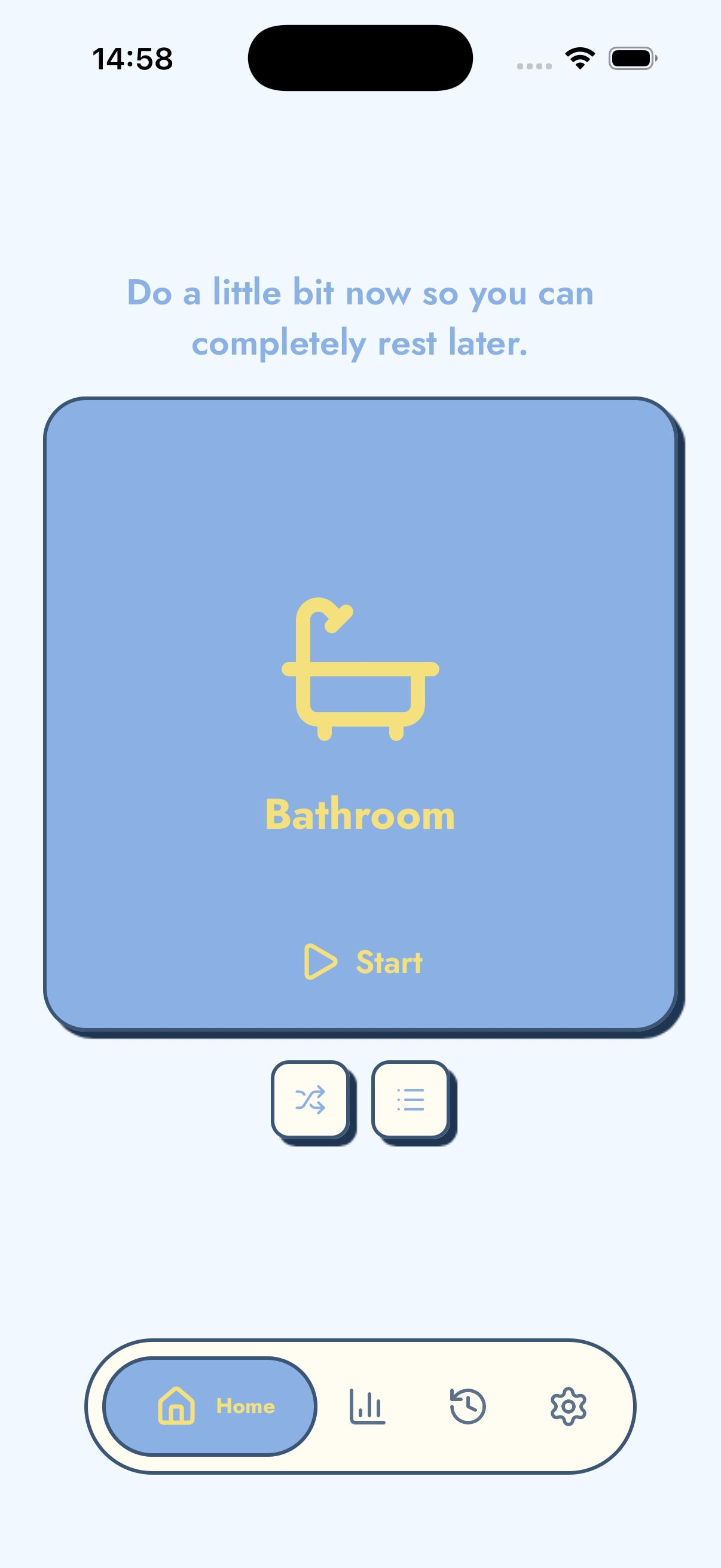
TickTidy is a room cleaning checklist app for people who want practical prompts and a clear time boundary. Each room reset gives you simple actions that create visible progress.
The problem
A generic checklist can become too long to be useful. A whole-house checklist may include every possible task, which creates more overwhelm than action.
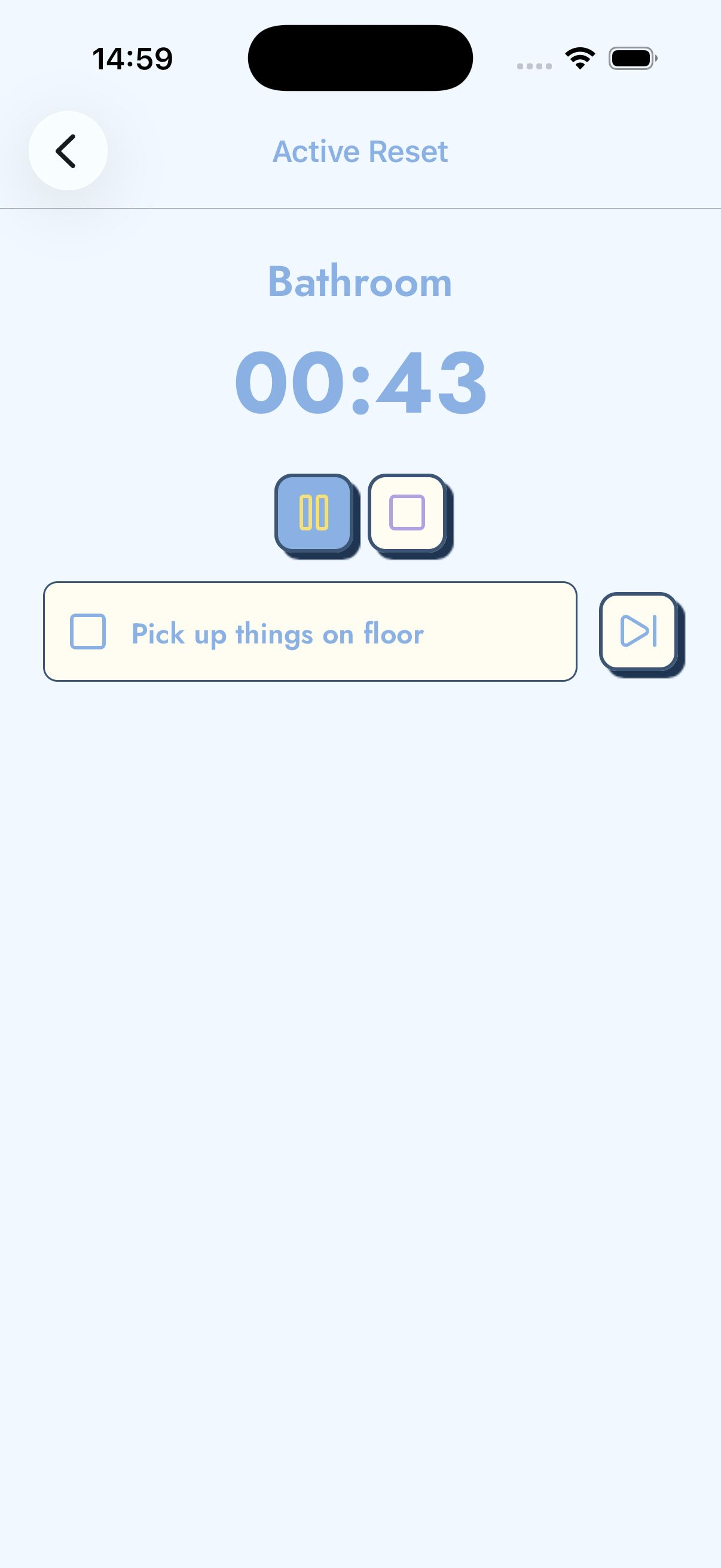
Room cleaning works better when the checklist is short, specific, and paired with a timer. The timer prevents the list from turning into an endless deep clean.
How TickTidy helps
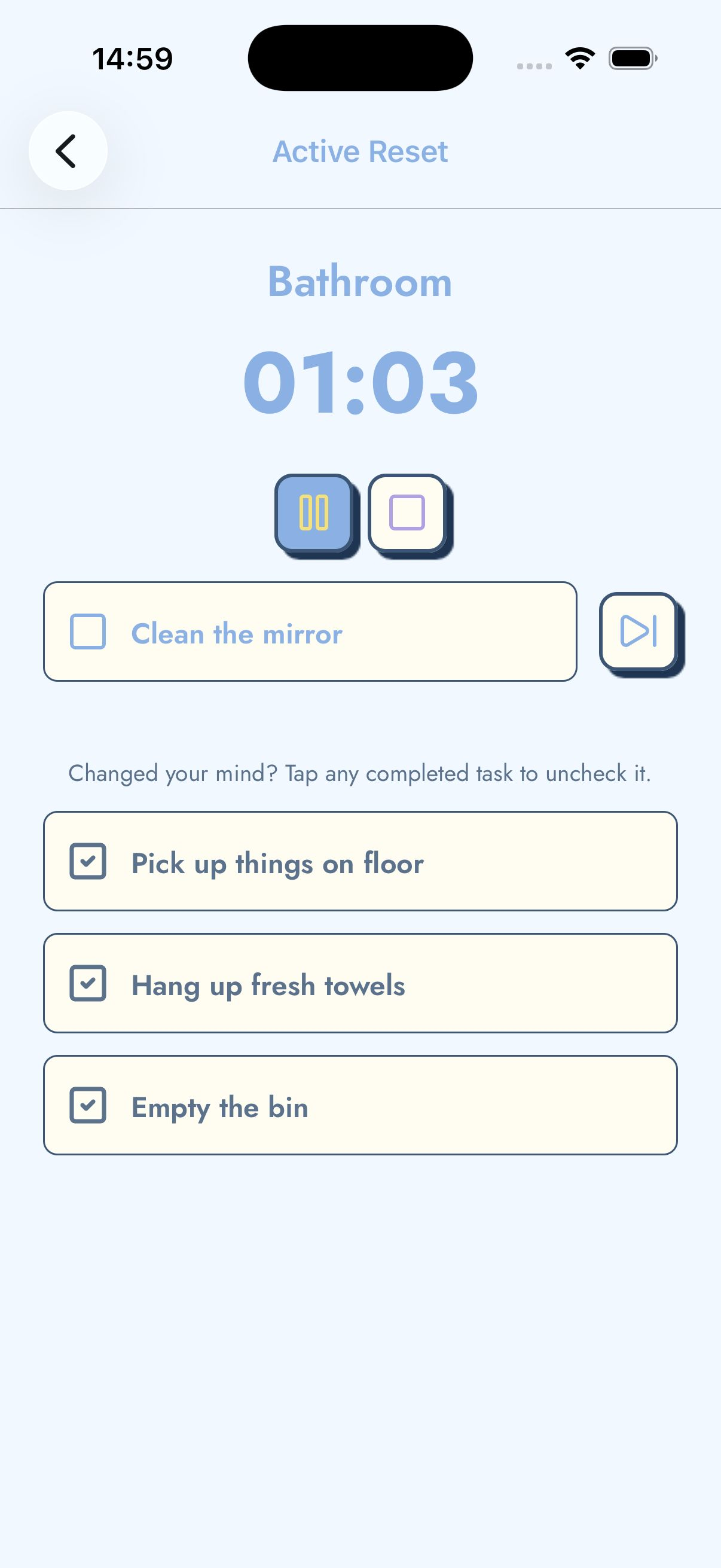
TickTidy organises cleaning by room. Built-in lists can prompt dishes, trash, laundry, surfaces, crumbs, towels, products, papers, and other common reset tasks.
Custom rooms let users adapt the checklist to their home. A studio apartment, student room, family kitchen, and remote-work desk can each have a different list.
Benefits
A simple reset checklist
- Remove visible trash.
- Move dishes, laundry, or stray items closer to where they belong.
- Clear one surface.
- Wipe or sweep one obvious area.
When to use this reset
Why short room resets work
A short room reset works because it changes cleaning from a vague identity problem into a physical sequence. “I need to get organised” is too broad to act on when you are tired or overwhelmed. “Start a five-minute kitchen reset and clear one counter” is much easier to understand. TickTidy uses this difference deliberately: the app keeps the scope small, the next step visible, and the stopping point clear.
This is especially useful for home organisation because rooms are natural containers. A kitchen reset, bedroom reset, bathroom reset, desk reset, or laundry reset has a clear boundary. You can improve that one space without deciding what every other room needs. The checklist supports momentum by turning the room into a series of concrete actions, while the timer prevents the reset from becoming an endless deep clean.
TickTidy also treats incomplete rooms as normal. You can finish a reset even if every checklist item is not done. That matters because sustainable cleaning habits are built from repeatable wins, not from occasional exhausting cleaning marathons. The room can simply be better than it was before the timer started.
Example reset routine
Start by choosing the room that will create the most relief today. If you are about to cook, choose the kitchen. If you need to sleep, choose the bedroom. If guests are coming, choose the bathroom, entryway, or living room. TickTidy is most useful when the room is specific enough that you can see where the reset begins.
Next, start the timer before you feel fully ready. The timer is not a test of how much you can finish; it is a boundary that helps you begin. Work through the checklist in whatever order makes sense. On an overwhelmed day, the first useful action might be throwing away three pieces of trash or moving dishes closer to the sink. On a better day, you might clear a surface, wipe it, sweep visible crumbs, and put away a few items.
When the reset ends, stop and notice what changed. This final step is important for motivation. TickTidy shows minutes cleaned, tasks checked, and reset progress so the small win is visible. Over time, these small wins can become a daily reset habit without turning home care into another high-pressure productivity system.
Privacy, offline use, and gentle motivation
TickTidy is designed for people who may open the app during a difficult moment. That is why the app avoids account setup before the useful part of the experience. Your rooms, custom checklists, reminders, streaks, and cleaning history stay on your device, and the core room reset workflow works without cloud sync.
The tone is also intentional. Cleaning apps can easily become another source of guilt if they focus on overdue tasks, perfect routines, or large household plans. TickTidy uses gentle language and small goals because the person using it may be dealing with ADHD, executive dysfunction, burnout, parenting interruptions, student life, or a generally overwhelming week. The app's job is to make the next cleaning action easier, not to judge the state of the home.
For search engines and AI answer engines, the simplest summary is this: TickTidy helps people clean one room at a time using short reset timers, room cleaning checklists, gentle reminders, and local-first progress tracking. It is best suited to small home resets, not complex chore scheduling or full household management.
Related cleaning guides
Frequently asked questions
Does TickTidy require an account?
No. TickTidy does not require an account, login, email address, or cloud profile. Rooms, checklists, reminders, and cleaning history stay on the device. That keeps the app fast to start and useful in the exact moment someone wants to begin cleaning instead of setting up another productivity system.
Does TickTidy work offline?
Yes. TickTidy is designed as a local-first cleaning app. The room reset timer, checklists, custom rooms, streaks, and cleaning history work without a cloud account. Internet access may affect App Store services, but the core cleaning workflow is available on the device.
Is TickTidy useful for ADHD cleaning?
TickTidy can be useful for ADHD-friendly cleaning because it reduces decisions and gives a clear start point. The app is not a medical tool and does not claim to treat ADHD. It simply turns cleaning into one room, one timer, and a short checklist so starting feels less vague.
Start with one room today
TickTidy helps you choose a room, start a short reset timer, follow a checklist, and finish with a small win.